
Windows doesn't come with a screen time dashboard or app limits for your own account, so most people end up looking for an app. The right one depends on what you want: to see where your time goes, to block distractions, or both.
We make StayFree, so we're biased, but we've tried to describe every option fairly. Features change, so check each app's site for the latest details and prices.
What to look for
- Tracking: does it show how long you use each app and game, not just websites?
- Limits: can you set daily limits, schedules and per-session limits, or only block everything at once?
- Hard to bypass: can you lock your settings so you can't undo them in a weak moment?
- Cross-device: does your phone time count too?
- Price and privacy: is it free, a subscription or a one-time purchase, and where is your data stored?
1. StayFree — best free tracker and app limiter
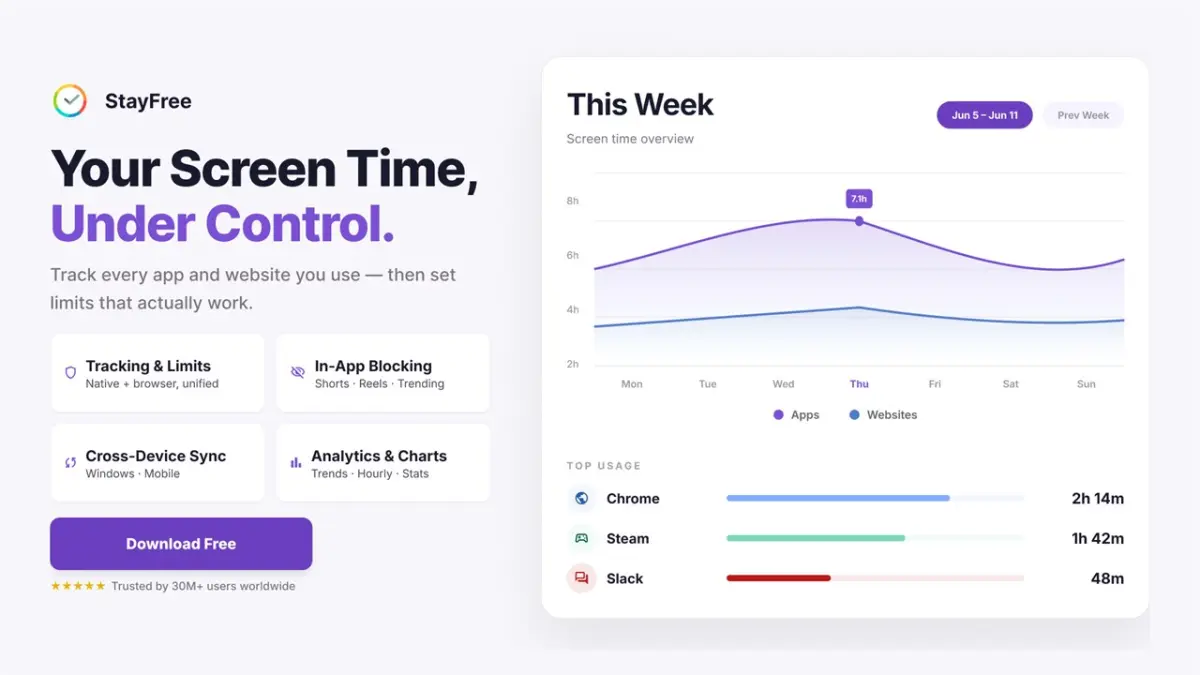
StayFree for Windows tracks time in every app and game and lets you limit any of them. It's free on the Microsoft Store, with no ads, and is rated 4.8 there.
- Tracking: time and sessions per app and game, hourly and daily charts, categories, and spreadsheet export.
- Limits: daily limits, schedules, session limits with cool-downs, permanent blocks, and a Pomodoro timer that blocks distractions while you focus.
- Hard to bypass: lock your limits with a PIN or a text challenge.
- Cross-device: connect StayFree on Android, iPhone, Mac and your browser to see everything in one dashboard.
- Websites: with the free browser extension for Chrome, Edge or Firefox.
Best for: anyone who wants to see their PC and phone usage together and set flexible limits, for free.
2. Microsoft Family Safety — best built-in option for kids
Family Safety is Microsoft's own parental control tool and comes free with Windows. Parents can see a child's activity, set screen time schedules and limit specific apps and games.
- Tracking and limits: yes, for child accounts in a Microsoft family group.
- Websites: filtering and activity in Microsoft Edge.
Limits: it only works for child accounts. You can't use it to limit your own apps.
Best for: parents managing a child's Windows PC.
3. Cold Turkey Blocker — best for strict blocking
Cold Turkey is a well-known blocker for Windows and Mac. The free version blocks websites; the paid Pro version adds app blocking, schedules and very strict lock modes that are hard to undo.
Limits: it's built for blocking rather than for detailed usage stats.
Best for: people who want an uncompromising blocker and don't mind paying for Pro.
4. Freedom — best for blocking across many devices
Freedom blocks distracting websites and apps on Windows, Mac, iPhone, Android and Chrome, with scheduled and recurring block sessions that sync across devices. It's a subscription service.
Limits: the focus is on blocking sessions, not on tracking how long you use each app.
Best for: people who mainly want synced block sessions on every device.
5. RescueTime — best for productivity reports
RescueTime runs in the background and sorts your time into productive and distracting categories, with reports on your workday. The free Lite plan covers basic tracking; Focus Sessions, which block distracting websites and apps, need the paid Premium plan.
Limits: it's designed around work productivity rather than app time limits.
Best for: knowledge workers who want reports on how their workday is spent.
6. ManicTime — best for detailed time logs
ManicTime records a detailed timeline of the apps and documents you use, and stores data locally. There are free and paid versions, and it's popular for time tracking and billing. Its Android app works as a companion to ManicTime Server.
Limits: it tracks time but doesn't block apps or set limits.
Best for: freelancers and anyone who needs an accurate log of their computer time.
Quick comparison
| App | Tracks app time | App time limits | Blocks apps | Phone + PC | Price |
|---|---|---|---|---|---|
| StayFree | Yes | Yes | Yes | Yes | Free |
| Microsoft Family Safety | Child accounts | Child accounts | Yes | Yes | Free |
| Cold Turkey Blocker | Basic stats | Pro | Pro | No | Free / one-time Pro |
| Freedom | No | Sessions | Yes | Yes | Subscription |
| RescueTime | Yes | No | Premium | Yes | Free Lite / Premium |
| ManicTime | Yes | No | No | Via server | Free / paid |
Our pick
If you want one free app that shows where your time goes on Windows and lets you limit it, try StayFree for Windows. If you need to manage a child's PC, start with Microsoft Family Safety. If you only want to block distractions as hard as possible, look at Cold Turkey or Freedom.
New to this? Start with our guides on seeing app usage time on Windows and limiting app time on Windows.